The short answer
- The Meta Ad Library is a free, public list of the ads running on Facebook, Instagram, Messenger, WhatsApp, Threads and Audience Network. Meta says anyone can use it, with or without a Facebook account.
- For an ordinary commercial ad it shows the creative, the date it started, the platforms and the advertiser. It does not show spend, impressions, clicks or results.
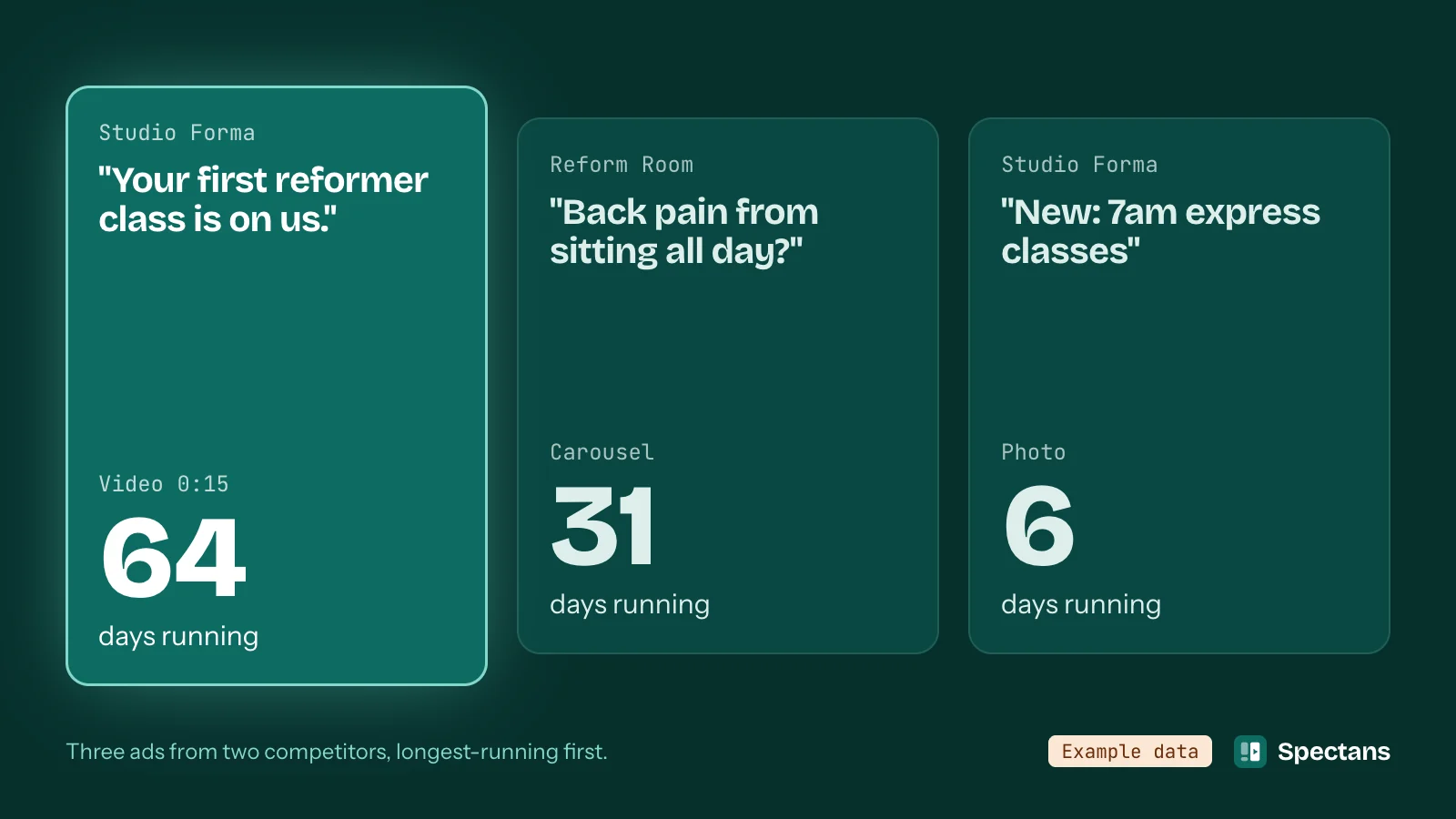
- The most useful clue is how long an ad has been running. That shows an advertiser keeps paying for it. It does not prove the ad works.
- Targeting and reach appear only for ads delivered to the EU or UK. Spend and impressions appear only for political ads, as ranges.
The Meta Ad Library is a free, public website where you can look up every ad a business is currently running on Facebook and Instagram. Search for a competitor’s Page, filter to active ads, and you see each ad’s creative, its text and the date it started. You will not see what it cost or how it performed.
What the Meta Ad Library is
The Meta Ad Library is Meta’s searchable collection of ads. Its address is facebook.com/ads/library. Meta’s help page says it contains all active ads shown across Meta’s apps, and that anyone can view and search it.
Four facts worth knowing before you start, all from Meta’s own pages:
- You do not need an account to browse. The library’s FAQ says anyone can explore it with or without a Facebook account. You need to be logged in to report an ad, to see age-restricted creative, and to download a search.
- It covers more than Facebook. On the day we read it, the Platform filter listed Facebook, Instagram, Audience Network, Messenger, WhatsApp and Threads.
- New ads appear fast. Meta says an ad shows up within 24 hours of its first impression.
- Dates are in Pacific Time. An ad that started late in the evening where you are can show the next day’s date, or the previous one.
What it shows for each ad
What you see depends on what kind of ad it is and where it was delivered. Meta lists a short set of fields for every running ad, then adds more for two groups only.
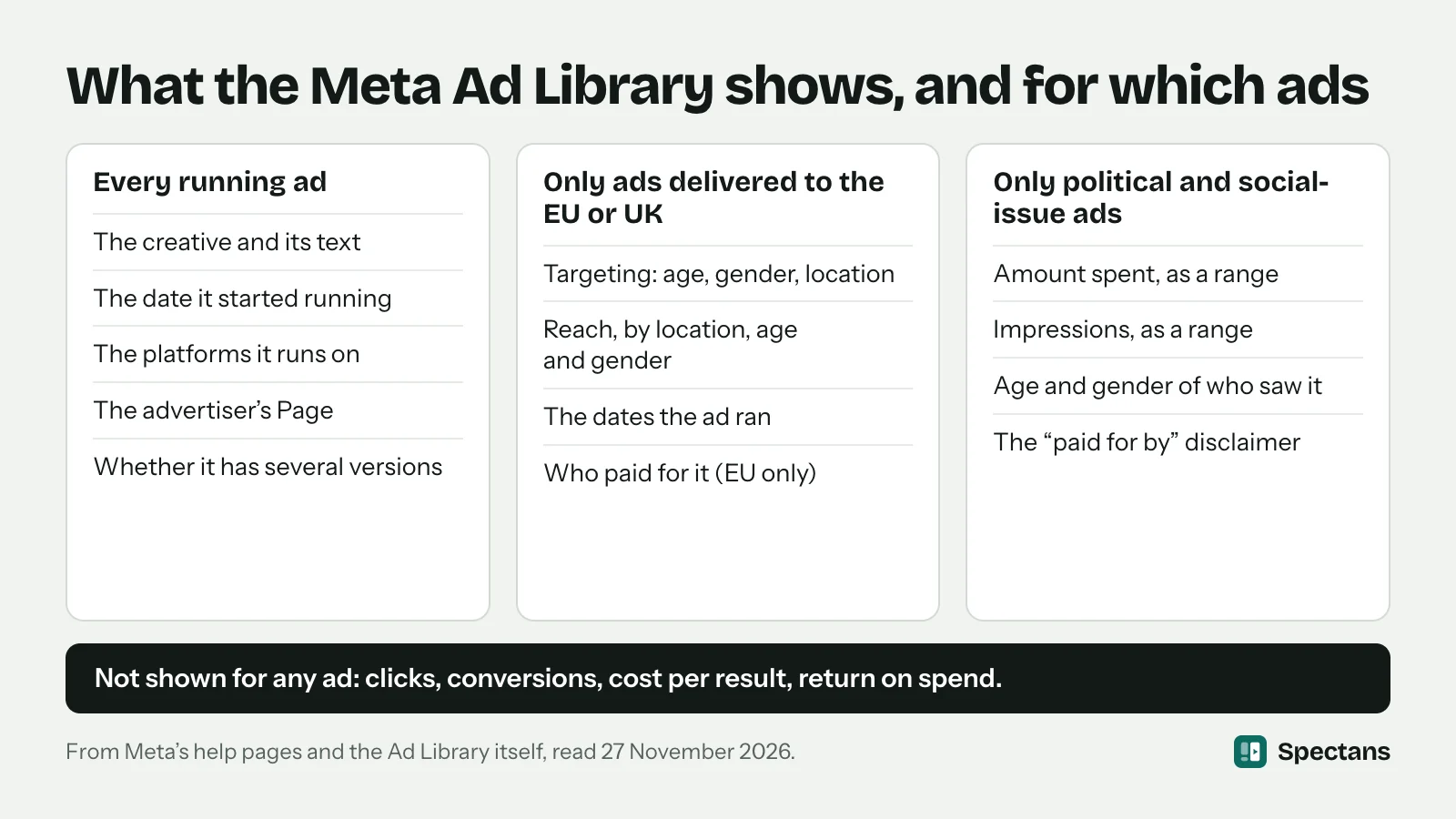
| What you see | Which ads |
|---|---|
| Creative, text and call-to-action button | Every running ad |
| “Started running on” date and an Active badge | Every running ad |
| Platforms the ad runs on | Every running ad |
| Advertiser Page and a Library ID | Every running ad |
| “This ad has multiple versions” | Ads built with Meta’s dynamic formats |
| Targeting by age, gender and location | Ads delivered to the EU or UK |
| Reach, in total and by location, age and gender | Ads delivered to the EU or UK |
| Who the advertiser and payer are | Ads delivered to the EU |
| Amount spent and impressions, each as a range | Ads about social issues, elections or politics |
The EU and UK data covers those regions only. If a United States advertiser’s ad also reached a few people in the EU, the panel describes that EU delivery, not the whole campaign.
What it does not show
For an ordinary commercial ad, the library shows no spend, no impressions and no audience breakdown. Meta’s API page marks each of those fields as available only for political and social-issue ads. No field anywhere in the library reports clicks, conversions, cost or return.
Two things in the interface look like performance data and are not:
- The sort order. Results can be sorted by “Impressions: high to low” or “Most recent”. Commercial ad cards still print no impression number, and the pages we read do not explain how the order is worked out.
- The “Low impression count” label. Some cards carry it. PPC Land reported in December 2025 that it marks ads with fewer than 100 impressions, citing a marketer’s post. We could not confirm that number on any Meta page.
How long ads stay in the library
| Kind of ad | How long Meta keeps it |
|---|---|
| Ordinary commercial ad | Listed while it is running |
| Ad delivered to the EU | One year after its last impression |
| Ad delivered to the UK | One year, and only if it ran after 1 July 2025 |
| Ad about social issues, elections or politics | Seven years, whether active or not |
The Active status filter does offer “Inactive ads” for every category. We did not test what it returns for a commercial ad that never reached the EU or UK, and Meta’s text describes those ads only as currently running. If a competitor’s old ads matter to you, record them while they are live.
How to research a competitor’s ads, step by step
This takes about half an hour for one competitor the first time, and a few minutes a week after that.
- Open the library and set the country and category. Choose the country the competitor advertises in and the category “All ads”. The other categories are for special ad types such as housing, employment and politics.
- Search for the advertiser. Type the name and pick the Page from the suggestions. A plain keyword search also returns any ad whose text contains the word, which is useful for a topic and noisy for one competitor.
- Filter to active ads. Open Filters and set Active status to “Active ads”. Add Platform or Media type if the list is long. Inside an advertiser’s page there is a second keyword box for searching within that advertiser’s ads.
- Work out days running. Every card shows “Started running on” and a date. Subtract it from today. Sort your own list by that number, longest first.
- Open the longest-running ads. “See ad details” adds information from the advertiser’s About section, and for EU and UK delivery the reach and targeting panel. Note whether the card says the ad has multiple versions.
- Record each ad in a swipe file. One row per ad: advertiser, opening line, format, button, start date, days running, versions.
- Check again every week. Mark what is new, what stopped and what is still running.
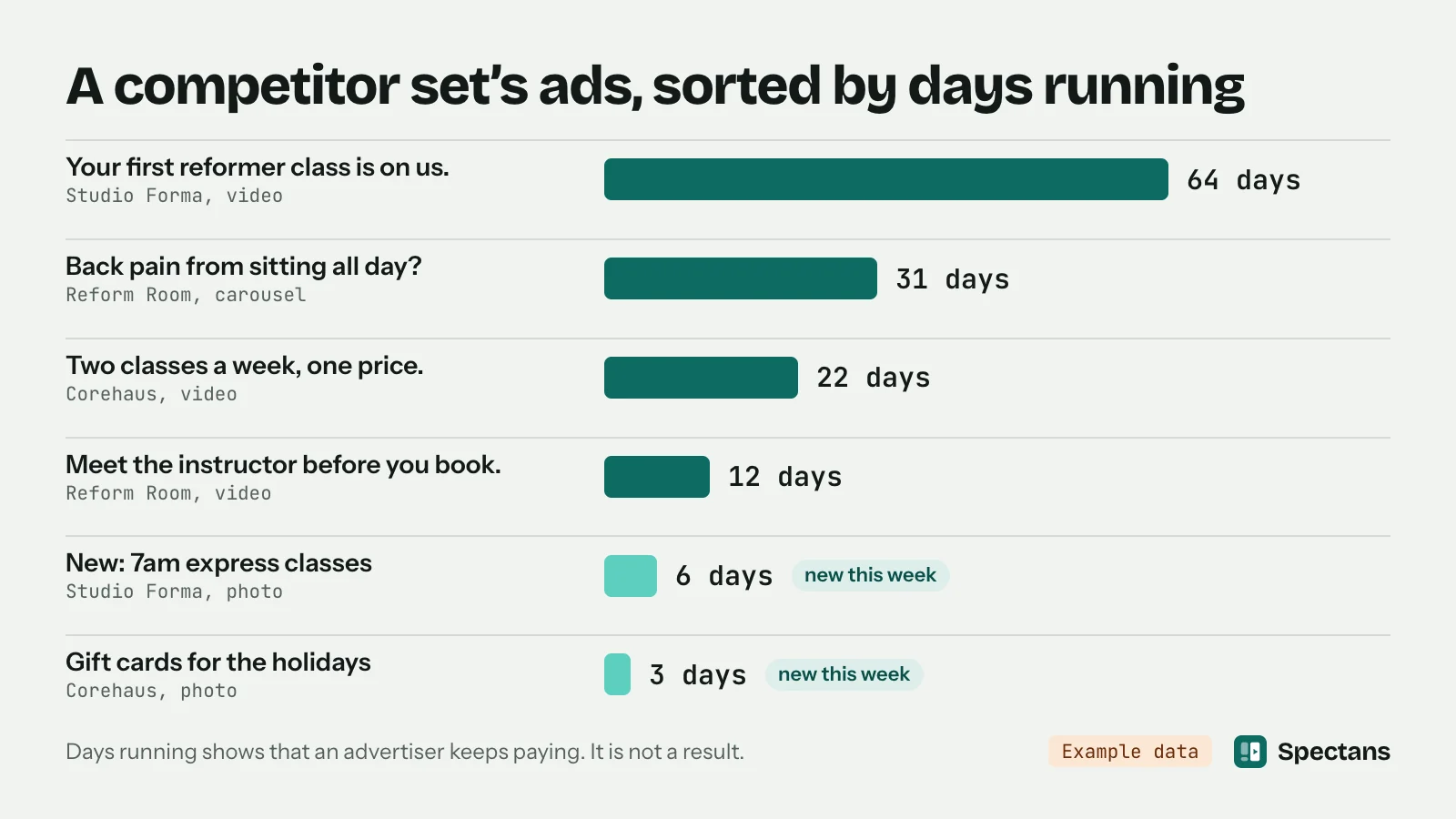
A spreadsheet is enough for the swipe file. These columns cover it:
| Column | Example (invented) |
|---|---|
| Advertiser | Studio Forma |
| Opening line | “Your first reformer class is on us.” |
| Format | Video, 15 seconds |
| Button | Book now |
| Started | 24 September 2026 |
| Days running | 64 |
| Versions | Several |
| Still running | Yes, checked 27 November |
How to read what you find
The library gives you facts about what a competitor is running. What those facts mean is your inference, so keep the two apart.
Patterns that are worth writing down:
- The same offer across several long-running ads. An offer that survives in different creatives is more telling than one ad.
- Multiple versions. The advertiser is letting Meta mix images and text. The parts that stay the same in every version are the parts they will not give up.
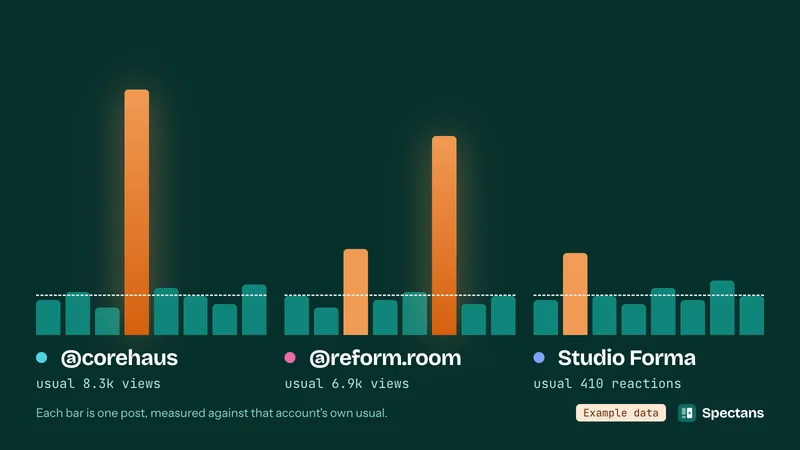
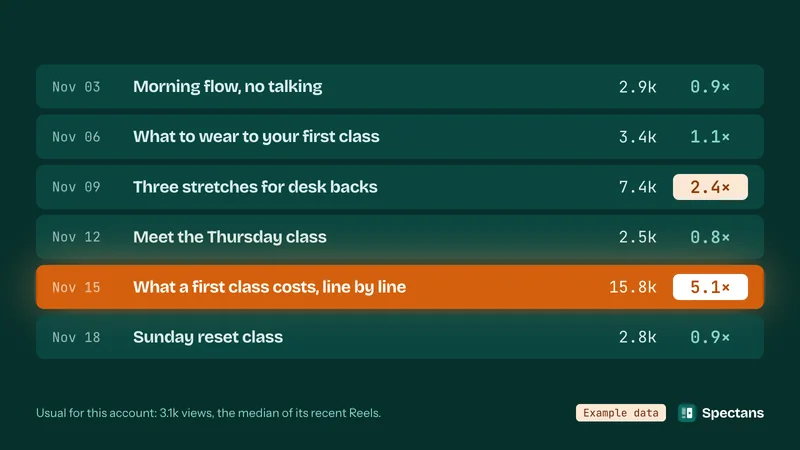
- New ads in the same week as a new organic push. Compare the ad list with the account’s recent posts. If a post looks like an outlier and the same creative is in the library, paid reach may explain the views.
- What stopped. An ad that disappears after a few days was probably a test that lost.
Ads and organic posts answer different questions. Ads show what a competitor is willing to pay to say. Organic outliers show what their audience responded to without payment. A full competitor analysis uses both.
Is there an API?
Yes, but it does not cover ordinary commercial ads outside Europe. Meta’s Ad Library API returns two groups: ads about social issues, elections or politics, and ads of any type delivered to the UK or EU in the past year. For everything else Meta points you back to the website.
Access needs a Facebook account, a Meta for Developers app, and the same identity and location confirmation Meta asks of political advertisers, which Meta says can take a few days.
Ad libraries on other networks
Meta’s is the widest. The others cover less than their names suggest.
| Library | What it covers |
|---|---|
| TikTok Commercial Content Library | Ads shown in the European Economic Area, the UK, Turkey and Switzerland, for one year after last shown. No account needed. |
| TikTok Creative Center, Top Ads | A selection of high-performing ads that advertisers agreed to show. Not a full library. |
| Google Ads Transparency Center | Ads from verified advertisers on Search, Play, Maps, Shopping and YouTube, for one year after last shown. |
| LinkedIn Ad Library | Ads that ran on LinkedIn after 1 June 2023, for one year after their last impression. |
If your competitors advertise mainly on TikTok outside Europe, there is no public library that lists their ads.
Where this fits
The Ad Library tells you what competitors pay to show. To find what works without payment, score their organic posts against each account’s own usual: see how to find outlier posts. To see what their audience is still asking for, read how to turn comments into content ideas.
Questions
-
Is the Meta Ad Library free?
Yes. Meta's help page says anyone can view and search the Ad Library, and there is no charge. It lives at facebook.com/ads/library.
-
Do I need a Facebook account to use the Meta Ad Library?
Meta says no. Its Ad Library FAQ states that anyone can explore it with or without a Facebook account. You do need to be logged in to report an ad, to see age-restricted creative such as alcohol or gambling ads, and to download searches.
-
Can I see how much a competitor spends on Facebook ads?
Not for ordinary commercial ads. Meta shows the amount spent only for ads about social issues, elections or politics, and then only as a range. The library has no field for clicks, conversions or cost for any ad.
-
Can I see ads that have stopped running?
Sometimes. Meta keeps political and social-issue ads for seven years, ads delivered to the EU for one year after their last impression, and ads delivered to the UK for one year if they ran after 1 July 2025. For other commercial ads, Meta's pages describe only ads that are currently running.
-
Does the Meta Ad Library show Instagram ads?
Yes. The library covers ads across Meta's apps. On 27 November 2026 its Platform filter listed Facebook, Instagram, Audience Network, Messenger, WhatsApp and Threads.
-
Does a long-running ad mean the ad is working?
It means the advertiser has kept paying for it, which is the closest public clue. It is not proof. The library shows no results, and an ad can stay live because nobody switched it off.
Sources
We last read these pages on November 27, 2026.
- About the Meta Ad Library Meta Business Help Center
- Meta Ad Library (landing page text and on-page FAQ) Meta
- Ad Library API Meta
- Meta Ads Library adds WhatsApp filter and low impression labels PPC Land, 24 December 2025
- Commercial Content Library FAQ TikTok
- About Top Ads TikTok Business Help Center
- Ads Transparency Center FAQ Google
- LinkedIn's Ad Library LinkedIn Help
In Spectans
- Competitor ads
The Meta ads each competitor runs, sorted by how long they have kept paying for them.